
Master Money Making
A video course on faceless YouTube videos that are built to pass YouTube's monetization review, not the mass-produced kind that gets channels turned down.
Uses the open LTX 2.5 video model, a voice cloned from one 20-second recording you make once, and an automated edit.
Already bought it? Open the course
Two videos made with this workflow
One workflow made both: a gaming news breakdown and a fantasy drama. The course teaches the method behind them with a different example topic, so you build your own channel, not a copy of these.
What you learn
Videos YouTube can approve
YouTube's review looks for original, authentic work. You learn what that means in practice: your own angle and script, footage that is changed and commented on, and no templated, repetitive uploads.
AI video with LTX 2.5
Generate shots with LTX 2.5, an open video model, instead of paying per clip, and learn when stock footage is the better call.
A cloned voice
Record about 20 seconds of your voice once. Every video after that is narrated in that cloned voice, so you never record a script.
An automated edit
Turn the script, voice and shots into a finished cut with far less manual timeline work.
What's in the course
One follow-along video lesson, 14 min 51 s, in 12 chapters. It goes from an empty folder to a video ready to upload, with every click and command on screen. Watch it once, then keep it open while you build your own.
- 00:00The whole process in one file
- 00:34What you need
- 01:33Why the file asks what it asks
- 02:09Set up Claude (app, Cowork or Claude Code)
- 03:40Fill in the file
- 05:30Run it
- 06:48Stock shots
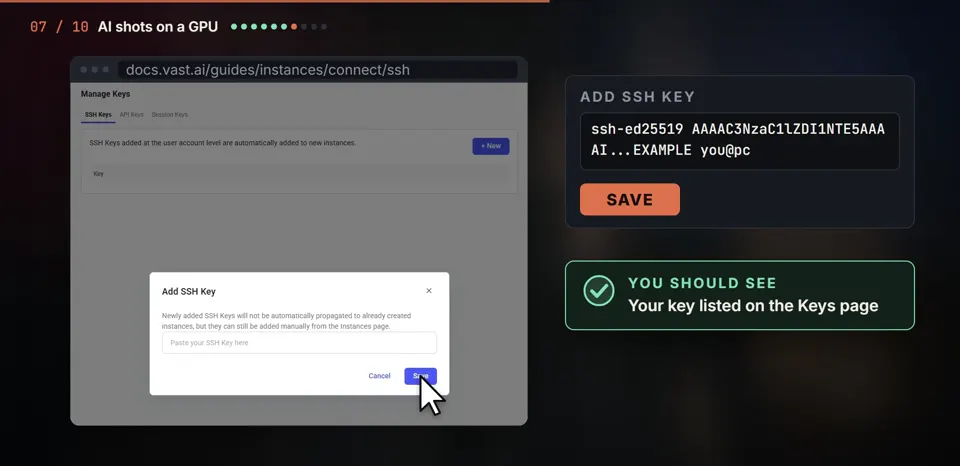
- 07:31AI shots on a rented GPU
- 10:37Your cloned voice
- 12:27Music and the edit
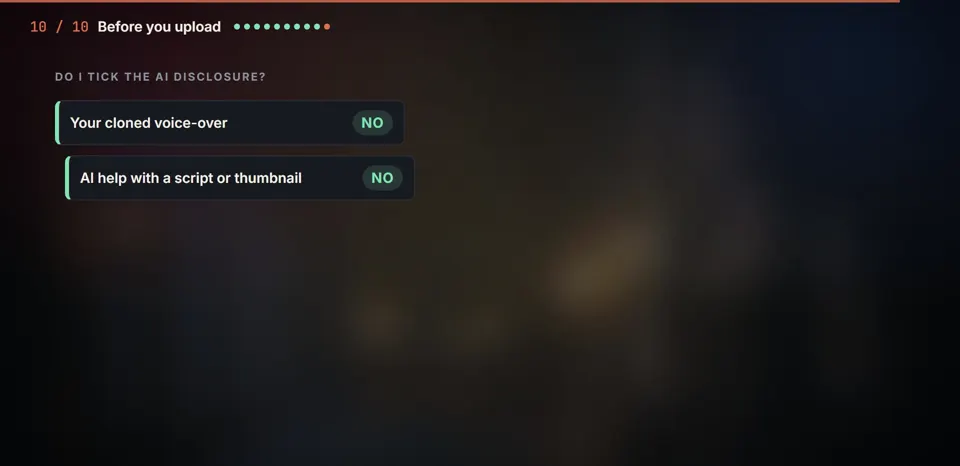
- 13:44Before you upload
- 14:22What's next
Set up once, then repeat four steps
The lesson shows the one-time setup in full, so the first run is the longest. After that you skip straight to the template for every new video.
Once, on day one
- Install Claude, Python, ffmpeg and Git (chapter 02:09).
- Record one 20-second voice sample to clone (chapter 10:37). That is the only recording you ever make.
- Add your SSH key to a GPU rental account (chapter 07:31).
For every video
- Fill in the template: topic, angle, sources.
- Run it, and approve the angle, fact table and script at each checkpoint.
- Rent a GPU by the hour for the AI shots, using the saved commands, or use stock shots.
- Watch the finished cut, fix what you don't like, and upload.
A look inside the lesson
One payment, permanent access
US$49.99
Charged in your own currency at checkout.
- Every course video, streamed on this site after payment.
- The template and command files used in the course, including the LTX workflow, free, sent to your email with your receipt.
- A licence key by email, so you can sign in again on another device.
Checkout is run by Dodo Payments. Taxes are calculated there for your country. Read the terms and refund policy before you buy.
Who makes it
I'm Omkar Arun Sanil, in Mangaluru, India. I make faceless videos with this workflow for my own channels and for clients: gaming news, AI drama episodes and documentaries. Both videos at the top of this page came out of it. The course is that same process, recorded step by step on a new example topic.
Questions before you buy come straight to me at omkarsanil@nookandglow.com.
Before you buy
Will my channel get monetized?
Nobody can promise that, and anyone who does is guessing. YouTube reviews every channel against its own rules, and faceless AI channels are most often turned down for reused or mass-produced content. This course is built around that review: your own angle, your own script, footage you change and talk over, and no templates. The two videos above were made this way.
Do I have to show my face or record every video?
No. You record about 20 seconds of your voice once and clone it. Every script after that is narrated in your voice without a microphone. Nobody has to appear on camera.
Do I pay for every AI clip?
No. LTX 2.5 is an open model, so there is no per-clip fee to a video service. It runs on a strong graphics card, either your own or one rented by the hour.
I have never edited a video. Is that a problem?
The edit is automated, so most of your time goes into the idea and the script, the part YouTube's review looks at most. You still check every cut before it goes out.
How do I watch after paying?
After checkout you come back to this site and the course opens. Dodo Payments also emails you a licence key. Enter it on the course page to sign in on another phone or computer.
What does "permanent access" mean?
One payment, no subscription, and access for as long as the course is offered. If it is ever closed, buyers get notice first. The terms spell this out.
What if it isn't for me?
The refund policy explains how to ask for your money back and the time limit.
Who do I contact?
Email omkarsanil@nookandglow.com. A person reads every message.